
Search News
Industry Portal
Hot Articles
Physical Security Systems: 7 Hidden Upgrade Costs to Plan For
Time
Click Count
Upgrading physical security systems rarely ends with the quoted equipment price. For procurement teams, hidden expenses such as integration, wiring, compliance, training, maintenance, and future scalability can quickly reshape total project costs. This article highlights seven often-overlooked upgrade costs so buyers can budget more accurately, reduce risk, and make smarter long-term security investment decisions.
In commercial buildings, industrial facilities, logistics parks, data centers, and smart city projects, physical security systems now extend far beyond cameras and door readers. A modern upgrade often touches access control, biometric authentication, cabling, edge devices, power backup, software licenses, cybersecurity coordination, and operational workflows. For buyers managing tenders, CAPEX approval, and long-term vendor performance, the real challenge is not choosing the lowest unit price. It is understanding the full cost of ownership across 3 to 7 years.
That is especially relevant for procurement teams working with integrated hardware environments like smart access, biometric security, smart lighting, reinforced hardware, and PPE-linked site safety policies. In these settings, a poorly scoped upgrade can trigger change orders, compliance delays, retraining cycles, and maintenance overruns. The seven cost areas below help buyers evaluate physical security systems with more discipline and fewer surprises.
Why Hidden Costs Matter in Physical Security Systems Procurement
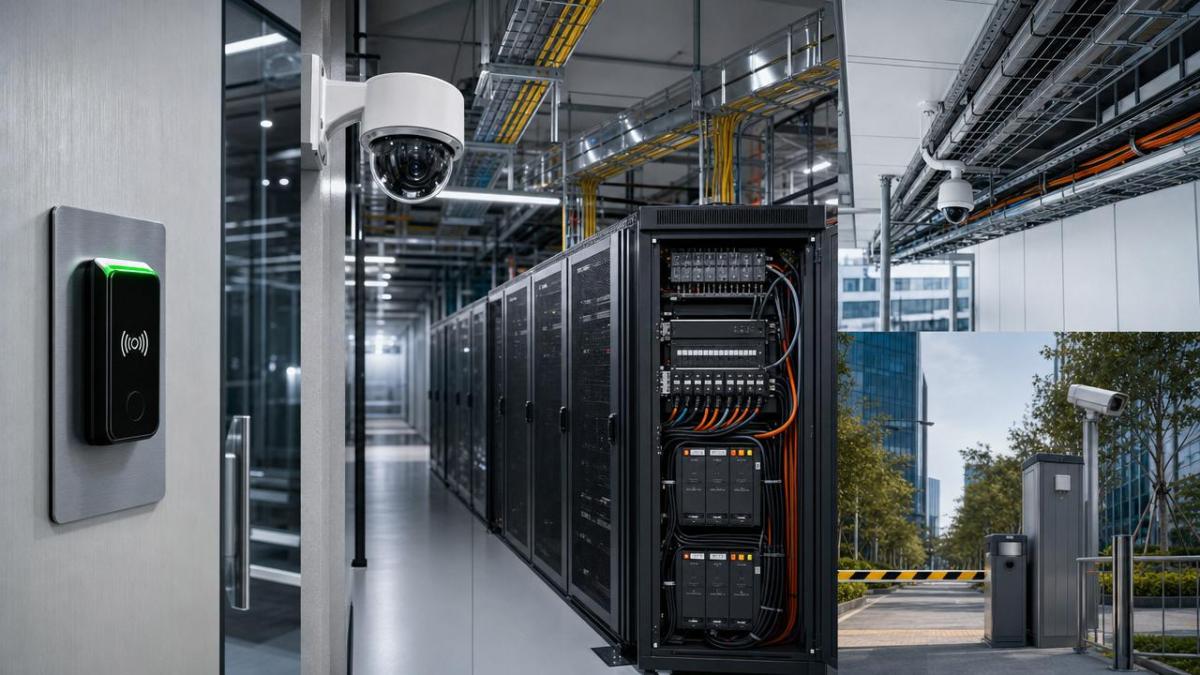
Quoted prices often focus on visible items: control panels, readers, cameras, locks, software seats, or monitoring devices. Yet in many projects, those items represent only 45% to 65% of the actual delivered cost. The remaining share is shaped by engineering, infrastructure adaptation, testing, compliance, and lifecycle support.
For procurement professionals, this gap affects vendor comparison, budget timing, and ROI analysis. A supplier that appears 12% cheaper on hardware may become 18% more expensive after integration labor, license renewals, and retrofit constraints are added. This is common when physical security systems are deployed into older buildings, mixed-brand environments, or high-security zones with strict audit requirements.
Common Procurement Blind Spots
- Underestimating low-voltage cabling routes, conduit work, and door frame modifications
- Ignoring recurring software or cloud subscription fees after year 1
- Missing compliance costs for biometric data handling and access logs
- Assuming legacy systems will integrate without middleware or custom configuration
- Overlooking operator training, user enrollment, and post-install service visits
The table below gives procurement teams a simple framework for distinguishing visible and hidden cost categories during bid evaluation for physical security systems.
The key lesson is simple: physical security systems should be evaluated as an operating platform, not as a box-counting exercise. Procurement success depends on lifecycle visibility from day 1, not on unit price alone.
The 7 Hidden Upgrade Costs Buyers Should Plan For
Below are the seven cost areas most likely to disrupt budgets when upgrading physical security systems. Each one can be scoped in advance if procurement, facilities, IT, and security teams align early, ideally 4 to 8 weeks before final tender release.
1. Site Survey, Design Revision, and Engineering Labor
A basic drawing package rarely reflects actual on-site conditions. Door swing direction, wall composition, ceiling height, network room distance, and fire-rated barriers can all affect installation. In retrofit projects, engineering revisions can add 5% to 15% to project cost before a single device is mounted.
Biometric readers and high-security access points often require precise mounting height, line of sight, and environmental protection. For outdoor gates or industrial loading areas, glare, dust, vibration, and weather shielding may require different housings or brackets than originally quoted.
Procurement Tip
Require a documented pre-bid survey with redline drawings, riser verification, and a list of assumed versus confirmed conditions. This reduces variation orders and gives buyers a cleaner baseline for comparing vendors.
2. Cabling, Power, and Door Hardware Retrofit
This is one of the most underestimated costs in physical security systems. A reader may cost modestly, but pulling cable across concrete cores, replacing legacy locks, or upgrading power supplies can sharply increase labor. In older facilities, a single secured opening may require 2 to 6 hours of additional retrofit work.
Where electromagnetic locks, request-to-exit devices, door position switches, and emergency release interfaces are involved, the final opening cost can be 1.5 to 2.5 times the visible hardware value. For industrial gates or server room entries, reinforced mounting plates and high-strength fasteners may also be needed to meet physical durability requirements.
Typical Retrofit Factors
- Existing conduit capacity is full or undocumented
- Door frames require cutting, welding, or reinforcement
- Power backup must be extended from 2 hours to 4 hours
- Outdoor devices need IP-rated housings and surge protection
3. Integration With Existing IT, Building, and Lighting Systems
Physical security systems increasingly interact with HR databases, visitor management, elevator control, alarm systems, and smart lighting platforms. A badge event may trigger corridor lighting, a restricted zone alert, or a unified incident log. These workflows create value, but they also create integration cost.
If the site uses mixed protocols such as ONVIF, Wiegand, OSDP, BACnet, DALI, or Zigbee, suppliers may need middleware, API development, or protocol converters. Even standard integrations can add 2 to 6 weeks to commissioning, especially when cybersecurity review and user acceptance testing are required.
Where Costs Usually Appear
Integration costs often show up as software connectors, engineering hours, test scripts, or vendor coordination meetings. They may not be obvious in early quotations, so procurement should request line-item transparency rather than a single bundled “system setup” fee.
4. Compliance, Privacy, and Data Retention Requirements
When physical security systems include facial recognition, iris authentication, or other biometric functions, legal and policy requirements become cost drivers. Buyers may need consent workflows, local data storage controls, encryption policies, audit trails, retention schedules, and role-based access rules.
In multinational environments, compliance checks may involve legal review across 2 or more jurisdictions. Even where no formal biometric law applies, internal governance often requires documentation, retention limits such as 30, 90, or 180 days, and incident response procedures. These controls increase project rigor, but they also add configuration and review time.
The table below helps procurement teams align security features with likely compliance workload before approving an upgrade path.
For procurement teams, the practical takeaway is to treat biometric and cloud-enabled physical security systems as both hardware and governance projects. Compliance is not an optional afterthought. It is a cost line that should be visible before contract award.
5. Training, Enrollment, and Change Management
A technically sound system can still underperform if staff do not know how to use it. Security operators, reception teams, facility managers, and end users each need different levels of training. In a 300-person site, enrollment and orientation can easily consume several days, especially if biometric capture quality standards must be followed.
Training costs also include quick-reference materials, supervisor sessions, incident workflow drills, and post-launch support during the first 2 to 4 weeks. Buyers should ask whether these items are included, capped, or billed at daily service rates.
A Frequent Mistake
Many organizations fund equipment but leave minimal budget for adoption. That can lead to badge issuance delays, poor biometric enrollment quality, user frustration, and higher help-desk calls after launch.
6. Maintenance Contracts, Consumables, and Spare Parts
Physical security systems are not static assets. Readers fail, locks wear, batteries degrade, firmware needs updates, and field devices can be damaged by weather or misuse. Annual maintenance commonly ranges from 8% to 15% of system value, depending on response time, site count, and parts coverage.
Procurement should also examine consumables and replacement intervals. Backup batteries may need replacement every 2 to 4 years. Outdoor seals, door closers, and electromechanical hardware may face faster wear in high-cycle environments such as warehouses or public buildings with more than 500 daily openings.
Questions to Ask Suppliers
- Is firmware updating included in support fees?
- Are spare parts stocked locally or shipped internationally?
- What is the standard SLA: next business day, 48 hours, or 72 hours?
- Are software version upgrades included or charged separately?
7. Scalability, Expansion, and Future Reconfiguration
The final hidden cost appears when today’s deployment becomes tomorrow’s limitation. A system sized for 20 doors may become expensive if expansion to 35 doors requires a new controller architecture, relicensing, or server migration. This is especially important for fast-growing industrial sites, multi-tenant offices, and smart city infrastructure.
Scalability costs may include extra network ports, panel capacity, storage expansion, added user tiers, or migration from on-premise software to hybrid cloud management. Buyers should model at least one future growth scenario, such as 25% user growth or 30% additional secured openings within 24 months.
How Procurement Teams Can Control Total Upgrade Cost
A disciplined sourcing process can reduce hidden-cost exposure without sacrificing performance. The best results usually come from cross-functional planning that brings together procurement, security operations, facilities, IT, and compliance before supplier shortlist approval.
Build a 5-Point Evaluation Model
- Separate equipment, labor, software, compliance, and service into distinct bid lines
- Require a site survey report before final commercial submission
- Model 3-year and 5-year total cost of ownership, not just year-1 spend
- Check integration limits for doors, users, logs, and third-party platforms
- Confirm SLA terms, spare-part availability, and training scope in writing
This approach helps buyers compare physical security systems on operational reality instead of presentation quality. It also reduces disputes after award, when ambiguous scope usually becomes expensive scope.
Use Scenario-Based Budgeting
Instead of one flat budget, create at least 3 procurement scenarios: base deployment, compliant deployment, and expansion-ready deployment. For example, a base design may cover access control and surveillance, while an expansion-ready option adds biometric authentication, 4-hour backup, and integration with lighting or visitor management.
Scenario budgeting is especially useful when physical security systems support broader site modernization, such as AIoT upgrades, smart building controls, or higher-risk industrial operations. It allows decision-makers to see what each budget level actually buys in terms of resilience and operational value.
Request Practical Documentation
Procurement should ask for commissioning checklists, maintenance matrices, training outlines, and device compatibility lists. These documents reveal whether a vendor truly understands implementation complexity. In many B2B projects, documentation quality is a stronger predictor of execution success than sales pricing alone.
What Buyers Should Look for in a Long-Term Security Partner
Choosing physical security systems is not only a product decision. It is also a partnership decision involving compliance awareness, engineering discipline, integration capability, and after-sales responsiveness. Buyers should favor suppliers that can explain where cost risks typically emerge and how they will control them.
That matters even more in environments where smart access, biometric security, commercial lighting, and industrial-grade hardware intersect. A provider that understands both physical durability and digital control logic is better positioned to support secure, scalable deployment across multiple facilities.
Short Vendor Checklist
- Can the supplier support retrofit and new-build projects?
- Do they understand biometric workflow and data governance concerns?
- Can they coordinate with facilities, IT, and compliance teams?
- Do they provide lifecycle support beyond the initial installation window?
For procurement teams, the most cost-effective physical security systems are rarely the ones with the lowest quoted hardware total. They are the ones that remain reliable, compliant, maintainable, and expandable over years of daily use.
If you are planning a new deployment or evaluating an upgrade, SHSS can help you assess hidden cost drivers across smart access, biometric security, industrial hardware, and connected site infrastructure. Contact us to discuss your project scope, request a tailored evaluation framework, or learn more solutions for long-term security procurement.
Recommended News