
Search News
Industry Portal
Hot Articles
3D Facial Recognition Accuracy: What Affects False Rejects in Real Use?
Time
Click Count
Why real-world 3D facial recognition accuracy shifts from site to site
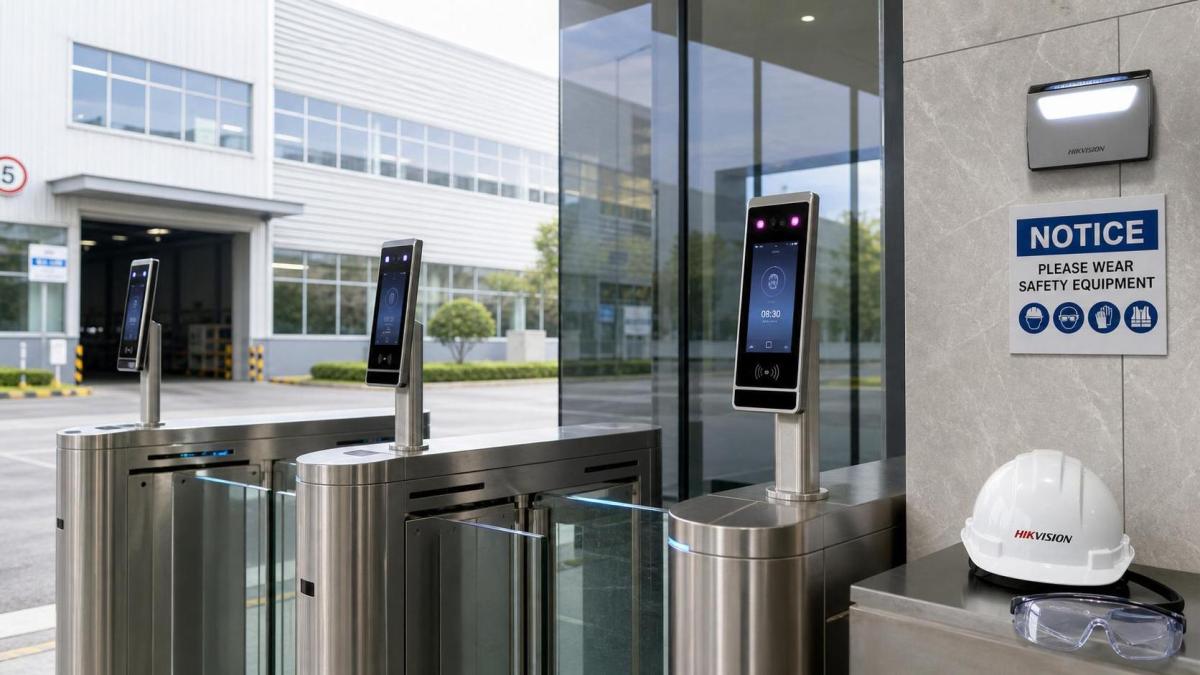
3D facial recognition often looks impressive in controlled demos. Real entrances are less forgiving.
A clean lab setup rarely reflects rotating staff, rushed visitors, mixed lighting, and changing weather.
That is why false rejects remain a practical concern. The issue is not only algorithm strength.
It also depends on door layout, enrollment quality, camera placement, user habits, and security policy.
In the SHSS view of smart hardware, physical security works like high-strength fasteners or PPE.
Performance depends on fit with real operating conditions, not on headline specifications alone.
For 3D facial recognition, the main question is simple: what causes legitimate faces to be rejected during normal use?
A useful answer starts by separating environments, because different sites create different failure patterns.
Different entrances create different pressure on false reject rates
A data center lobby and a construction-side equipment room may both use 3D facial recognition.
Their accuracy challenges are not the same.
Indoor corporate sites usually fight speed and traffic flow. People move fast and expect frictionless access.
Industrial zones face dust, helmets, safety glasses, and frequent shifts between bright outdoor light and darker interiors.
Commercial buildings often balance convenience with visitor turnover. Enrollment quality can vary more than expected.
Smart city access points add weather, vandal resistance, and wider user diversity into the equation.
The practical lesson is that 3D facial recognition accuracy should be judged as a system outcome.
It is not just a sensor outcome.
Where false rejects usually begin
- Poor enrollment images create weak reference templates from the start.
- Extreme backlight or reflective glass reduces depth capture consistency.
- Users stop too close, too far, or at the wrong angle.
- Masks, helmets, goggles, and hair changes affect facial geometry visibility.
- Aggressive anti-spoofing settings can reject valid users in difficult conditions.
Indoor offices value speed, but lighting and posture still decide outcomes
In office towers and commercial campuses, false rejects often appear during peak traffic periods.
The sensor may be technically strong, yet users approach while walking, turning, or looking at phones.
This reduces face alignment quality before the match even starts.
Glass façades also create a subtle problem. Sunlight changes across the day and introduces difficult contrast.
Even with infrared depth sensing, real-world reflections can distort consistency.
In these sites, 3D facial recognition accuracy improves when the lane guides behavior naturally.
A brief pause point, correct mounting height, and controlled approach distance matter more than many teams expect.
It is often better to redesign user flow than to keep tightening thresholds.
Industrial and mixed-use sites need tolerance for PPE and environmental noise
Factories, warehouses, and logistics yards expose 3D facial recognition to more physical variation.
Workers may wear helmets, dust masks, ear protection, or tinted eye shields.
At shift changes, they may arrive from outdoor glare into dimmer corridors within seconds.
That transition is hard on depth sensors and matching models.
This is where SHSS often frames biometric performance like other mission-critical hardware.
A secure result depends on the full environment, just as lighting systems depend on controls and usage patterns.
For these sites, the better decision is not simply “use face only” or “avoid face entirely.”
The better decision is whether 3D facial recognition should operate alone or as part of multimodal access.
If PPE covers key landmarks too often, iris, card, or PIN fallback may cut friction without weakening security.
A quick comparison of scene differences
High-security spaces often reject users for policy reasons, not hardware weakness
Server rooms, research labs, and critical control areas usually demand tighter matching thresholds.
That improves resistance to unauthorized access, but it can raise false reject rates.
In practice, this is not always a flaw. It may be a deliberate tradeoff.
The mistake is making that tradeoff without redesigning the user journey.
When thresholds become stricter, the site should also define retry limits, secondary credentials, and exception handling.
Otherwise, 3D facial recognition turns into a bottleneck during routine operations.
A well-tuned system treats accuracy, security, and throughput as linked variables.
Looking at one in isolation usually creates friction somewhere else.
The most overlooked factor is enrollment quality over time
Many teams compare sensors carefully, yet underestimate enrollment discipline.
If the original face template is captured in poor light or with partial occlusion, later matching suffers.
The same happens when the workforce changes appearance over months or seasons.
Beards, prescription eyewear, protective gear, and age-related changes all affect consistency.
3D facial recognition systems perform better when enrollment is treated as a managed process.
That means guided capture, quality scoring, periodic refresh, and policy for appearance changes.
This matters especially in global operations, where one policy may cover offices, plants, and city-facing facilities.
Common misreads before deployment
- Treating demo accuracy as proof of long-term 3D facial recognition reliability.
- Choosing by anti-spoofing claims without checking user inconvenience.
- Ignoring smart lighting conditions around the doorway and ceiling reflections.
- Assuming all helmet or mask environments create the same biometric challenge.
- Focusing on device cost while overlooking cleaning, retraining, and policy maintenance.
What to evaluate before choosing a 3D facial recognition setup
A practical evaluation starts with site conditions, not marketing language.
Look at the physical lane, user motion, surrounding light, and expected face coverings.
Then check whether the algorithm can be tuned for local risk levels without harming throughput.
In mixed estates, one policy rarely fits every door.
The stronger approach is to define scenario-based standards across campuses, plants, and critical rooms.
- Map entrances by traffic speed, exposure, and security consequence.
- Test 3D facial recognition with real users wearing normal work gear.
- Measure first-pass acceptance, retry rate, and exception handling time.
- Align lighting, access hardware, and biometric rules as one system.
- Set refresh intervals for templates, cleaning, and performance reviews.
For organizations following the SHSS logic of “Indestructibility” and “Unbreachability,” this systems view matters.
Physical security is strongest when hardware, environment, and operating policy are stitched together.
A reliable next step is to test by scene, not by brochure
3D facial recognition accuracy becomes meaningful only in the context of actual use.
False rejects rise when real conditions are ignored, especially at busy, exposed, or PPE-heavy entrances.
A more dependable path is to sort access points by environment, user behavior, and security impact.
Then compare threshold settings, enrollment discipline, fallback methods, and maintenance effort for each one.
That process usually reveals whether a single 3D facial recognition model can scale across the estate.
It also shows where multimodal verification or better lighting control will protect both access speed and trust.
Before rollout, build a scene-based checklist, run live trials, and review performance after installation.
That is where strong biometric security decisions usually become clear.
Recommended News