
Search News
Industry Portal
Hot Articles
- How does keyless access control for hotels work during a power outage?Dr. Matthias Vance
- Report: Tariff Disruption Could Shift $4 Billion in Aerospace Fastener Revenue by 2030Hardware Mechanics Fellow
- Industrial Fasteners Market Forecast to Reach $128.3 Billion as Tariffs Disrupt Supply ChainsHardware Mechanics Fellow
When does facial recognition make sense for physical access control?
Time
Click Count
Facial recognition can make physical access control more convenient and, in the right architecture, provide stronger evidence that the person presenting a credential is its authorized holder. It makes the most sense where that benefit matters enough to justify extra testing, privacy safeguards, maintenance, and a workable alternative for people who cannot or should not use it.
For technical evaluators, the decision is rarely “face or no face” for an entire building. It is whether a particular door, population, and threat model justify adding biometric verification instead of relying on a well-managed smart card or mobile credential.
Start with the access decision, not the camera
A facial access system typically captures an image, extracts biometric features, compares them with an enrolled reference, and sends a decision to an access controller. The controller still needs to check permissions, door schedules, and other policy conditions. A successful face match alone should not decide whether someone is authorized to enter.
Distinguish between two designs:
- One-to-one verification: A person presents a card, mobile credential, or claimed identity; the system compares their face with the associated enrolled template. This is usually the more controllable approach for a defined employee population.
- One-to-many identification: The system searches a gallery to determine who the person might be. This raises different accuracy, privacy, and governance questions, particularly as the gallery grows. It should not be treated as a simple substitute for verification.
Also ask what the implementation actually verifies. A camera that recognizes a face and unlocks a door may add convenience, but it does not automatically provide the same assurance as a credential combined with a biometric check. Treat a face as a biometric characteristic, not a secret or a password that can simply be changed after compromise.
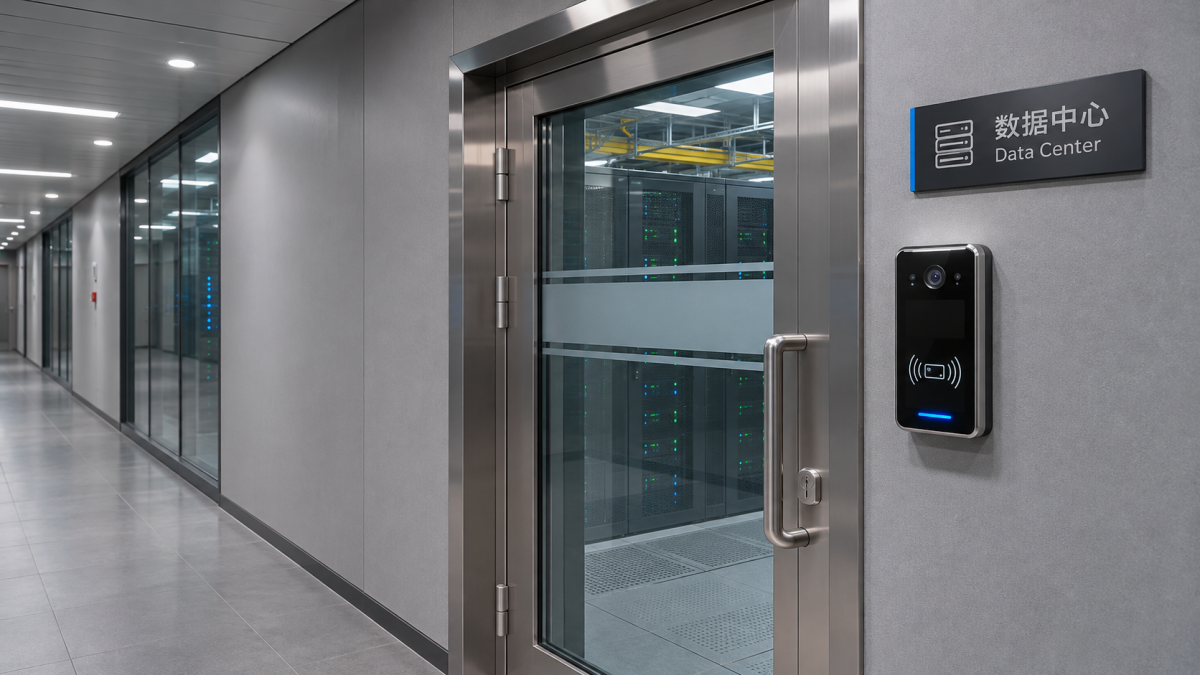
Where facial recognition earns its place in physical access control
High-consequence rooms with a defined user group
Data halls, controlled laboratories, and sensitive operational areas may justify an added check that ties a credential to its holder. Face verification can be useful where a lost, shared, or borrowed credential is a credible concern and the organization can enroll users, manage exceptions, and supervise the entrance.
For these locations, evaluate face plus a protected credential rather than assuming face alone is sufficient. The benefit depends on the complete path: credential issuance, enrollment, matching, controller configuration, door hardware, and response to alarms.
Hands-free entry with a real operational constraint
A face-based workflow may reduce handling of badges where users carry equipment or wear gloves. That advantage is meaningful only if people can still present themselves to the camera reliably. Respirators, face shields, protective eyewear, and changing light may undermine the process. Never ask workers to remove required protective equipment merely to make a biometric reader work.
Entrances where accountability is worth the friction
A biometric event can add evidence that a match occurred at a particular reader. It is not, by itself, proof that the matched individual entered alone: tailgating, door propping, and sensor placement still matter. Consider a staffed checkpoint, interlocked doors, or other physical controls where individual passage must be enforced.
When a card or mobile credential is the better choice
Facial recognition is often difficult to justify at low-risk doors, entrances with a high proportion of occasional visitors, or sites without staff to resolve enrollment and access failures. A secure card or mobile credential may meet the security requirement with less biometric data processing and fewer environmental dependencies.
Neither category is automatically secure. Compare the actual credential technology, authentication method, reader configuration, and revocation process—not just the form factor.
Test the system at the proposed door
Vendor demonstrations establish a starting point, not a deployment result. Write a site-specific test plan before procurement, and use the same hardware, software version, configuration, mounting position, and access policy proposed for production.
- Define the operating population. Include representative users, heights, mobility needs, and relevant protective equipment. Make participation and data handling appropriate to the applicable legal framework.
- Reproduce difficult conditions. Test day and night, backlighting, seasonal changes where relevant, approach angles, and the actual space available for a person to stop and present their face.
- Measure the entire transaction. Record the time from approach to passage, including credential presentation, retries, door opening, and exception handling. Test queues at expected peak arrival periods rather than extrapolating from a single successful match.
- Document errors and interventions. Track false rejections, failures to capture or enroll, manual overrides, and the reasons for each exception. Assess whether results differ across relevant user groups, while protecting participant privacy.
- Repeat after changes. Camera replacement, software updates, threshold changes, and altered lighting can change performance. Agree on regression tests and acceptance criteria before signing.
Set thresholds against the site’s risk appetite. A stricter match threshold can reduce false matches but may increase false rejections; a more permissive setting can have the opposite effect. Ask the supplier for results at the proposed threshold, not only its most favorable headline figure.
Independent evaluations are useful for narrowing a shortlist, but check what was tested. NIST’s Face Recognition Vendor Test materials distinguish verification and identification evaluations and document variation across algorithms and conditions. A laboratory result for an algorithm is not a guarantee for a complete door installation. Source: NIST Face Recognition Technology Evaluation, https://www.nist.gov/programs-projects/face-recognition-technology-evaluation-frte.
Challenge presentation attacks and integration assumptions
A photograph, video display, mask, or other presentation attack is a separate problem from ordinary matching accuracy. Ask whether the reader has presentation attack detection, what attack types were tested, and whether the test covered the deployed device and software configuration. Infrared or 3D sensing alone is not proof that every attack will be detected.
ISO/IEC 30107-3 describes testing and reporting for biometric presentation attack detection. Request the relevant test report, scope, attack instruments, and results—not merely a claim that a product is “ISO compliant.” Source: ISO/IEC 30107-3, https://www.iso.org/standard/79520.html.
Then inspect the rest of the access path. A strong match can be defeated by a weak enrollment process, an unauthorized template replacement, or a controller that accepts an improperly protected unlock command.
- Enrollment: How is identity verified, who can enroll or re-enroll a user, and is approval independent of the operator performing the action?
- Reader-to-controller communication: How are commands authenticated and protected against interception or tampering? Verify support and configuration rather than assuming a secure connection is enabled by default.
- Administrative access: Can roles be separated, privileged actions logged, and access revoked promptly? How are updates authenticated and vulnerabilities handled?
- System behavior: What happens during network, power, camera, or matching-service failure? A fallback must preserve appropriate authorization and comply with applicable life-safety and emergency-egress requirements.
- Audit records: Do logs distinguish a successful match from a door-open event, a forced door, an override, and a failed attempt? Can events be exported without exposing unnecessary biometric data?
Make privacy and fallback part of the design
Before collecting faces, establish the purpose, legal basis, access controls, retention period, deletion process, and a procedure for complaints and corrections. Map the data flow: raw images, templates, event logs, backups, support access, and any transfers to a cloud provider. Edge processing may reduce some transfers, but it does not eliminate biometric-data obligations.
In the EU, biometric data processed to uniquely identify a person is generally a special category under GDPR Article 9. Processing requires an Article 6 legal basis and an applicable Article 9 condition; a data protection impact assessment may also be required depending on the circumstances. Employment relationships can complicate reliance on consent because of the imbalance of power. Local law and supervisory guidance matter, so obtain jurisdiction-specific advice before deployment. Sources: GDPR Articles 6, 9 and 35, https://eur-lex.europa.eu/eli/reg/2016/679/oj; European Data Protection Board Guidelines 05/2020 on consent, https://www.edpb.europa.eu/our-work-tools/our-documents/guidelines/guidelines-052020-consent-under-regulation-2016679_en.
A non-biometric route should be practical, documented, and capable of meeting the door’s security requirement. Define who can use it, how identity is checked, how long it takes, and who resolves disputes. Avoid a fallback that effectively denies access when the biometric system fails.
A procurement decision that survives deployment
Compare shortlisted systems using a weighted scorecard tied to the door’s purpose. Include security against credential misuse, observed error rates, throughput under peak load, accessibility, privacy impact, integration effort, maintenance, and total lifecycle cost. Include enrollment, support, replacement hardware, licensing, and retirement—not just the reader purchase.
Make acceptance conditional on an on-site pilot with agreed thresholds and documented exception handling. If the pilot cannot demonstrate a meaningful improvement over a secure credential-based design without unacceptable operational or privacy costs, retain the simpler control. Facial recognition is valuable when it solves a defined access problem; its presence is not evidence that a door is secure.
Frequently asked questions
Does facial recognition eliminate the need for a badge?
Not necessarily. A badge or mobile credential can identify the claimed user for a one-to-one face comparison and add a separate possession element. Whether both are needed depends on the threat model and the implementation.
Can one accuracy figure determine which reader to buy?
No. Request false-match and false-rejection results at the proposed threshold, along with capture failures, test conditions, and presentation-attack results. Validate them in the actual doorway and workflow.
What should happen if the face reader is unavailable?
Use a preapproved alternative, such as a supervised credential check, with appropriate logging and authorization. Design failure behavior and emergency egress with the relevant security and life-safety stakeholders before commissioning.
Recommended News