
Search News
Industry Portal
Hot Articles
Is smart access control hardware compatible with biometric door systems?
Time
Click Count
Yes, smart access control hardware can work with biometric door systems, but compatibility is not guaranteed by the presence of a network port or a shared brand name. A biometric reader, door controller, lock, credential database, and building network must operate as one controlled chain. A mismatch at any point can create unreliable entry, weaken emergency release behavior, or leave biometric data exposed.
For a technical evaluation, the practical question is not simply, “Can this reader unlock that door?” It is: Can the combined system authenticate a person, make an authorization decision, actuate the opening hardware, record the event, remain secure during network loss, and meet privacy obligations? A system that succeeds only in a showroom demonstration may still be a poor deployment choice for a data center, commercial building, industrial site, or multi-tenant facility.
Compatibility has four layers, not one
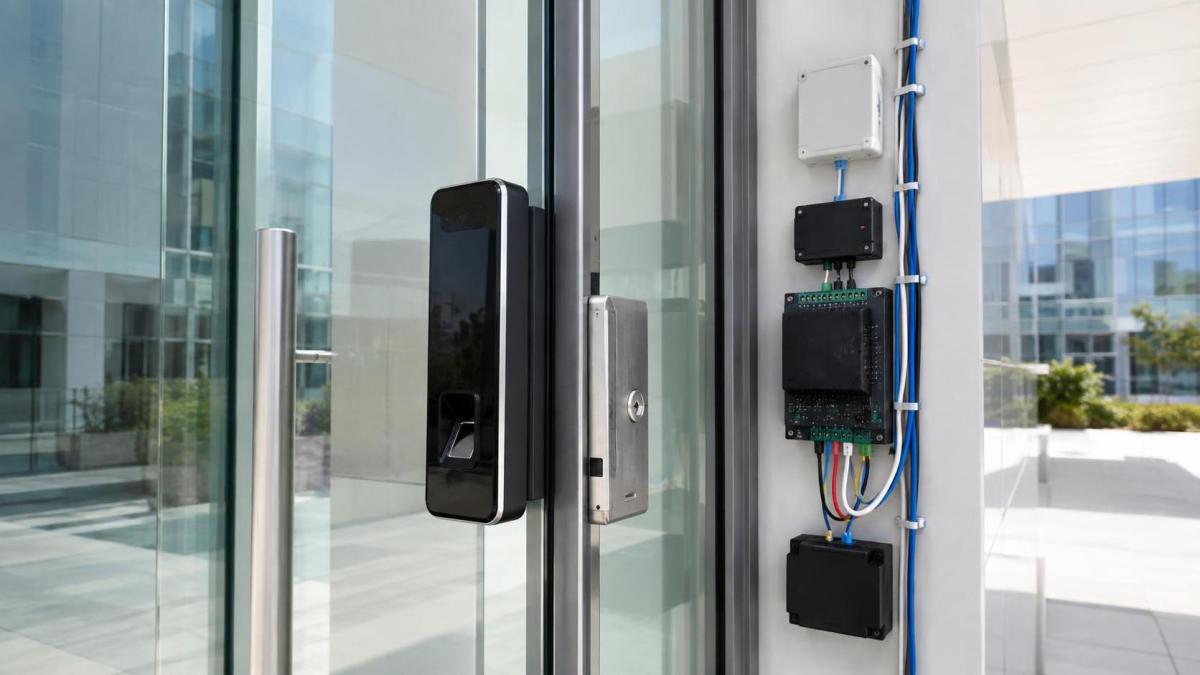
A biometric door system usually includes a biometric terminal, an access controller or intelligent lock, a locking device, door contacts, request-to-exit hardware, power supply, and management software. In some designs, the reader itself makes an access decision. In others, it sends identity data to a controller or server that applies access rules.
Technical evaluators should separate compatibility into four layers:
Compatibility should be approved only after all four layers have been reviewed. A reader may be electrically compatible with a controller while remaining unsuitable because it cannot pass a usable identity format, cannot preserve audit quality, or cannot satisfy the site’s privacy model.
Start with the door, lock, and life-safety design
The biometric device is often the most visible component, but the door hardware determines whether the system can operate safely. A biometric terminal normally triggers an access decision; it does not replace a correctly selected electric lock, door closer, hinge arrangement, door position sensor, or emergency exit design.
Establish whether the opening uses an electric strike, electromagnetic lock, electrified mortise lock, electrified trim, or another locking arrangement. Each has different power behavior and different consequences when power is interrupted. The distinction between fail-safe and fail-secure hardware matters: one unlocks on loss of power, while the other remains locked. Neither approach is universally correct. The right choice depends on the opening’s use, emergency requirements, occupancy conditions, and the facility’s approved door design.
Do not assume that a biometric reader can directly power or switch the lock. Many terminals provide only a low-current relay output and require a separate power supply, controller, or relay module. Lock current, inrush demand, cable length, backup power, and voltage drop must be assessed as a complete circuit. A reader that works during a bench test can become unstable once it shares a marginal supply with a high-demand locking device.
Door state inputs also matter. At minimum, a controlled opening commonly needs a way to distinguish a valid unlock from a door held open or forced open condition. If the planned smart access control hardware cannot monitor these inputs or pass them to the management platform, the installation loses operational visibility even though biometric verification still appears to work.
Reader interfaces determine how much of the biometric system survives integration
Biometric terminals may connect through a traditional reader interface, a supervised secure-reader connection, Ethernet, wireless networking, or a vendor-specific architecture. The interface determines what data travels between components and where trust is placed.
A basic reader integration can be adequate when the biometric device makes the match locally and presents a standard credential identifier to an existing controller. This can preserve an installed controller estate and reduce replacement work. Its limitation is that the central access platform may see only a credential event, rather than detailed biometric quality, liveness status, or enrollment information.
A networked biometric terminal can provide richer event records and centralized management, but it introduces network dependencies. Confirm whether the terminal communicates directly with the access management system, through a vendor gateway, or through a cloud service. These arrangements differ in firewall requirements, latency sensitivity, account administration, and outage behavior.
Proprietary integration is not automatically a problem. It can offer tightly managed enrollment, coordinated firmware updates, and a clearer support boundary. It becomes a concern when it prevents the organization from using its current controllers, identity platform, or future reader options. The question is not whether a protocol is open or proprietary in principle; it is whether the integration supports the required security controls and operating model without creating an unmanageable dependency.
Decide where the biometric match and access decision occur
“Biometric access” describes several distinct architectures. A fingerprint, face, iris, or palm system may compare a live capture with a template inside the reader, at a local controller, or on a remote server. The access rule may be evaluated in the same place or elsewhere.
For high-security doors, local or edge-based matching often has a practical advantage: entry can continue during a network interruption, provided the terminal and controller retain current authorization data. It also reduces the routine transmission of biometric material across the network. However, local processing requires disciplined template distribution, firmware management, storage capacity planning, and a method to revoke access promptly when permissions change.
Centralized matching can simplify enrollment and create a unified policy point across multiple sites. It may be appropriate where dependable connectivity, managed infrastructure, and centralized security operations are already in place. Its main risk is dependency: if connectivity, identity services, or the matching service fails, the system must have a defined behavior. “Offline mode” should not be accepted as a vague feature claim. Ask exactly what remains functional, how long credentials remain valid locally, and what events are stored until communications recover.
A hybrid design is common. The terminal performs liveness detection and local matching, while the central platform governs access groups, schedules, and reporting. This is often a balanced option for sites that need resilient door operation without abandoning centralized administration.
Biometric quality is not the same as system security
A biometric reader should not be selected solely on recognition speed or the number of supported users. The relevant security question is whether the device can distinguish an authorized live person from a presentation attack, such as a photograph, video display, molded fingerprint, or other imitation. The appropriate level of liveness detection depends on the threat model. A staff entrance with staffed reception and video oversight has a different exposure from an unattended server room or restricted research area.
Environmental conditions also affect compatibility in practice. Face recognition can be affected by strong backlight, darkness, changing appearance, face coverings, camera position, and crowd flow. Fingerprint systems can be less convenient for users wearing gloves or working with dirty, wet, or damaged hands. Iris systems may suit certain controlled entry points but require careful placement and user flow design. A biometric modality should be evaluated at the actual doorway, under expected lighting, traffic, and user conditions.
A useful design often includes a secondary credential path. This is not a concession that biometrics have failed. It supports accessibility, temporary visitors, injured users, maintenance procedures, and recovery from an enrollment issue. The fallback should be governed by the same access policy, logged clearly, and protected against casual misuse. A high-security opening may require a biometric factor plus a card, mobile credential, or PIN rather than using a fallback as an unrestricted bypass.
Identity data must map cleanly across systems
Integration problems frequently emerge after installation, when the organization tries to manage users. A biometric terminal may identify an individual through a device-specific template ID, while the access platform uses employee IDs, card numbers, directory accounts, or tenant records. Unless these identifiers are deliberately mapped, operators may create duplicate identities or retain access after a person has changed role.
Before selecting hardware, define the authoritative identity source. It may be the access control platform, a human resources system, a directory service, or another approved identity repository. Then establish how users are created, enrolled, changed, suspended, and deleted. The design should also clarify whether enrollment happens at the reader, at a dedicated enrollment station, or through a controlled administrative process.
Biometric templates should be treated as sensitive identity data. A secure design limits who can enroll users, separates administrator roles where appropriate, protects data in transit and at rest, and records administrative actions. It should also define retention and deletion behavior. The operational goal is straightforward: the system needs enough data to verify a person, but it should not collect or retain more than the access process requires.
Use a controlled proof of compatibility before purchase
Product datasheets are useful for narrowing options, but they rarely demonstrate the full behavior of a mixed system. The most reliable selection method is a representative proof of compatibility using the intended reader, controller, lock type, power arrangement, management software, and network environment.
The test should cover normal entry, denied entry, forced-door and held-open events, request-to-exit behavior, controller restart, reader restart, network loss, power transfer to backup supply, credential revocation, and audit-log recovery. It should also test the actual user population and environment, rather than only a technically convenient enrollment group.
During this process, examine the quality of event records. A useful audit trail identifies the door, person or credential, decision, time, and relevant alarm condition. When biometric verification is involved, the system should make it clear whether the event reflects successful matching, a failed match, a liveness failure, a fallback credential, or a communications problem. Ambiguous events make incident review unnecessarily difficult.
Questions that expose weak integrations early
- Does the biometric reader send a credential identifier, a match decision, or detailed biometric events to the controller?
- Can the current controllers accept the intended reader interface without an unsupported converter or custom integration?
- Which component controls the lock during normal operation, and which component controls it when the network is unavailable?
- Can the power supply support the lock, reader, controller, and backup requirements without relying on shared capacity assumptions?
- How are access rights synchronized, and how quickly can an individual be disabled across every affected door?
- What biometric information is stored in each device, controller, server, or cloud environment?
- Can firmware, certificates, administrator accounts, and event logs be managed through an established security process?
- Does the planned architecture support the site’s emergency egress and door-release requirements?
When replacement is more sensible than integration
Adding biometrics to existing access control hardware is often attractive because it appears to preserve prior investment. It is usually a good path when the controller platform is supported, has sufficient inputs and outputs, can enforce current security policy, and can receive meaningful events from the biometric device.
Replacement deserves serious consideration when legacy controllers lack secure communications, cannot support required door monitoring, depend on unsupported software, or force biometric data through an opaque gateway. Retaining older components can create a lower initial cost but a more complex system to secure and operate. This is especially relevant for sites that expect to expand to multiple doors, multiple buildings, or centrally administered visitor and contractor workflows.
For facilities comparing biometric readers, controllers, locking hardware, and related physical security components, SHSS coverage of smart access and biometric security can help frame the evaluation around the complete door architecture rather than the reader alone. The strongest deployment is usually the one with clear interfaces, maintainable identity administration, resilient local behavior, and security controls that match the risk of the opening.
Compatibility is therefore a design decision, not a product checkbox. Approve the biometric door system only after the selected components have been tested as a working chain: person verification, authorization, door actuation, event recording, network resilience, and privacy handling. That approach produces a system that remains usable after installation, not merely one that connects successfully on day one.
Recommended News