
Search News
Industry Portal
Hot Articles
How schools can choose security hardware that supports lockdown procedures
Time
Click Count
How Schools Can Choose Security Hardware That Supports Lockdown Procedures
Choosing security hardware for schools is a critical step in building reliable lockdown procedures that protect students, staff, and visitors without disrupting normal learning.
For safety managers and quality-control teams, the strongest approach is not buying isolated products. It is selecting tested, interoperable hardware that supports clear decisions under pressure.
Effective school security hardware must secure occupied rooms quickly, control access at perimeter points, preserve emergency egress, and remain dependable after years of daily use.
This guide explains how to assess locks, door hardware, access systems, communications, and installation quality as one practical lockdown-ready security program.
Start With the Lockdown Workflow, Not the Product Catalog
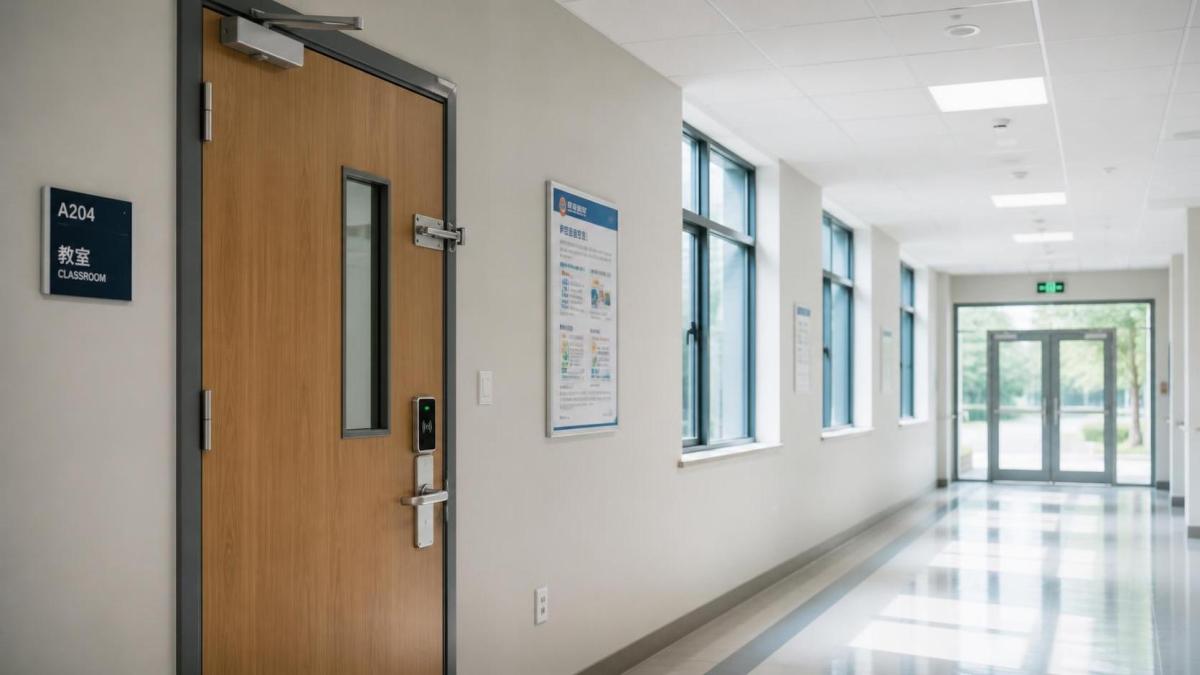
Before comparing security hardware for schools, define what staff must do during a lockdown. Hardware should support the school’s approved emergency procedures, not create new uncertainty.
Map the sequence from the first alert to room securement, accountability, emergency response access, and eventual release. Each step identifies a hardware requirement and possible failure point.
Safety managers should distinguish between perimeter lockdown, internal lockdown, shelter-in-place, evacuation, and restricted-access events. These scenarios may require different door behaviors and authorization rules.
For example, a classroom door may need fast locking from inside while still permitting immediate free egress. A main entrance may need controlled visitor entry and remote release capability.
Quality-control teams should document which doors are occupied during school hours, which doors remain unused, and which doors serve as emergency exits or fire-rated openings.
This inventory prevents a common procurement error: applying identical locking hardware to doors with fundamentally different safety, code, traffic, and operational requirements.
Include administrators, facilities staff, local fire officials, security personnel, special education representatives, and law-enforcement liaisons in the requirements review where appropriate.
Teachers are especially important contributors because they understand whether a lock can be operated accurately while supervising students, managing stress, and following classroom procedures.
A useful requirement statement describes the action, the user, the timing, and the expected result. “Secure classroom door from inside within seconds” is more useful than “install better locks.”
Schools should also specify what must never happen. Doors must not trap occupants, compromise fire protection, block accessible routes, or prevent emergency responders from entering authorized areas.
Prioritize Classroom Door Hardware That Is Fast, Familiar, and Code-Conscious
Classroom doors are central to most lockdown procedures, but the best choice is rarely the most complicated locking device or the product with the longest feature list.
Teachers need hardware they can understand instantly. In a stressful event, a familiar, single-action process is generally safer than a device requiring keys, tools, covers, or multiple steps.
Evaluate whether the lock can be secured from inside the classroom without opening the door. Requiring staff to enter a hallway creates avoidable exposure during a lockdown.
At the same time, students and staff must be able to exit freely at all times. Egress requirements are not secondary details; they are a fundamental life-safety condition.
Look for commercial-grade locksets, levers, closers, hinges, strike plates, and fasteners designed for high-cycle education environments rather than light-duty office applications.
A lockset alone does not determine door security. Door construction, frame strength, hinge condition, latch engagement, strike reinforcement, and correct alignment affect actual performance.
Quality teams should inspect the complete opening assembly. A high-quality lock installed on a warped door, loose frame, or poorly anchored strike plate cannot deliver expected resistance.
For fire-rated openings, confirm that every proposed modification preserves the door assembly’s listing. Unauthorized field changes can damage compliance and weaken fire containment performance.
Avoid improvised barricade devices, aftermarket door wedges, or equipment that attaches unpredictably to existing openings. Such products can create egress, accessibility, liability, and responder-access concerns.
Request manufacturer documentation covering cycle testing, material specifications, finish durability, applicable standards, warranty conditions, and maintenance instructions. Procurement claims should be verifiable, not assumed.
Where electronic locking is considered, ask how the opening behaves during power loss, alarm events, network interruption, and manual override. Each response must align with life-safety requirements.
Secure the Perimeter Without Turning Every Door Into a Bottleneck
Lockdown readiness begins before someone reaches a classroom. Schools should reduce uncontrolled entry through a layered perimeter strategy that supports daily arrival and visitor management.
Start by identifying every exterior opening, including service doors, athletic facilities, portable classrooms, loading areas, gates, and doors that staff may prop open for convenience.
The main public entrance should provide a controlled path for visitors. This may include a secured vestibule, staff verification point, video intercom, credential access, and documented visitor procedures.
However, a secure entrance is ineffective when side doors remain unmonitored or unreliable. The goal is not simply fewer doors, but accountable and auditable use of every door.
Access control systems can help schools schedule door states, revoke lost credentials, issue temporary permissions, and produce event logs for investigation or operational review.
Biometric access can be appropriate for restricted staff areas, but schools should carefully assess privacy, legal obligations, consent requirements, data retention, cybersecurity, and fallback credentials.
For most general school access points, card, mobile credential, PIN, or managed key systems may offer a more proportionate balance of administration, privacy, and operational control.
Evaluate door position monitoring at exterior entrances. Alerts for propped, forced, or held-open doors can reveal vulnerabilities before they become routine security failures.
Perimeter hardware should also support emergency response. Authorized responders need a dependable access method that does not depend solely on a cloud platform, mobile signal, or one administrator.
Ask vendors to demonstrate offline operation. A security system should retain essential access and locking behavior during local network outages, controller faults, and power disruptions.
Assess Integration: Locks, Alerts, Access Control, and Communications
Schools increasingly purchase integrated security systems, but integration should be judged by operational value rather than marketing claims about smart buildings or artificial intelligence.
During a lockdown, authorized staff may need to initiate alerts, secure designated access points, communicate instructions, and monitor critical doors from clear, reliable control locations.
Integration can reduce response time when it connects access control, intercoms, mass notification, video systems, intrusion detection, and door status monitoring through defined workflows.
Yet automatic lockdown functions require disciplined design. A poorly configured system can lock the wrong areas, generate false alarms, confuse staff, or interfere with emergency operations.
Define which actions are automated, which require human confirmation, and which users can trigger them. Permissions should reflect roles, training levels, and incident-command responsibilities.
Mass notification tools should reach classrooms, common areas, offices, and mobile staff through more than one channel. Consider public address systems, visual alerts, desktop notifications, and messaging.
Every communication plan needs plain language. Staff must know what the alert means, what action is expected, and whether conditions have changed without interpreting vague codes.
Video systems may assist situational awareness, but they do not replace durable locks, controlled doors, trained staff, or practiced procedures. Cameras are evidence and awareness tools, not barriers.
Ask whether systems use open standards or proprietary protocols. Interoperability can reduce future replacement costs and allow schools to improve components without rebuilding the entire platform.
Cybersecurity belongs in the hardware evaluation. Require unique credentials, role-based access, encrypted communications, update policies, audit logs, and a clear process for vulnerability notifications.
Vendor remote access should be tightly controlled. Schools should know who can connect, what they can change, how access is approved, and how activity is recorded.
Use Quality-Control Methods to Verify Real-World Reliability
Security hardware for schools should be evaluated as a long-term operational asset. A successful installation on opening day is not enough for a system expected to work for years.
Create an acceptance-testing plan before installation begins. It should define inspection points, responsible parties, test scenarios, documentation requirements, and criteria for correcting defects.
Inspect hardware upon delivery for model accuracy, handedness, finishes, certification labels, damaged packaging, missing components, and substitutions that were not formally approved.
During installation, verify fastener type, frame reinforcement, strike alignment, door clearances, closer adjustment, latch engagement, cable protection, and labeling of electrical connections.
Test each opening repeatedly, not once. Doors should latch consistently, unlock when authorized, allow required egress, close correctly, and report accurate status under normal operating conditions.
For electronic systems, test power failure, backup power, controller restart, network loss, credential revocation, alarm activation, and manual emergency override at representative doors.
Record results by opening number, location, hardware type, installer, date, deficiency, corrective action, and retest outcome. This creates traceability for future maintenance and audits.
High-use locations deserve additional attention. Cafeterias, gyms, stairwells, entrances, and restrooms can experience more wear, abuse, and traffic than standard classroom doors.
Schedule preventive maintenance instead of waiting for failures. Loose strikes, damaged closers, depleted backup batteries, worn card readers, and misaligned doors often show warning signs early.
Maintain spare parts for critical components, especially batteries, credentials, door contacts, readers, lock cores, power supplies, and manufacturer-approved replacement hardware.
Schools should establish a process for reporting defective doors immediately. Staff need an easy way to flag a door that will not latch, lock, close, unlock, or communicate status correctly.
Compare Total Cost, Not Just Purchase Price
Budget decisions should compare the full operating cost of a security solution. Low initial prices can conceal frequent repairs, short product life, training burdens, and replacement incompatibility.
Include installation labor, door preparation, electrical work, network upgrades, software licensing, credential management, monitoring, warranties, maintenance, training, and future expansion in the analysis.
Durability matters because schools operate high-cycle environments. Commercial-grade components with documented testing can cost more initially while reducing classroom disruptions and emergency repair expenses.
Consider phased deployment when budgets are limited. Begin with the highest-risk openings, failing hardware, uncontrolled exterior doors, and rooms where lockdown actions are difficult or inconsistent.
A phased plan should still follow a complete architecture. Buying disconnected products over several years can create incompatible systems, confusing procedures, and avoidable integration costs.
Ask suppliers for lifecycle evidence, not only sales projections. Useful information includes expected service intervals, failure rates, replacement availability, software support periods, and warranty exclusions.
For electronic systems, clarify recurring fees. Annual subscriptions, cloud storage, mobile credential charges, support contracts, and firmware maintenance can materially affect long-term affordability.
Procurement teams should score vendors against mandatory requirements first, then evaluate price among compliant options. This prevents a low bid from outweighing essential safety or code criteria.
Train Staff and Validate the System Through Realistic Drills
Even the best security hardware cannot compensate for unclear procedures. Staff must understand what each device does, when to use it, and when not to interfere with it.
Training should cover normal operation first. Teachers who use doors, credentials, intercoms, and visitor procedures daily are more likely to use them correctly during an emergency.
Lockdown instruction should be concise and role-specific. Classroom staff, office personnel, facilities teams, security officers, substitutes, and after-hours users may have different responsibilities.
Include substitute teachers and temporary staff in training plans. They may be unfamiliar with room hardware, campus layouts, communication systems, or local lockdown terminology.
Conduct drills according to applicable laws, district policies, and age-appropriate practices. The purpose is to confirm readiness and identify issues, not to create fear or simulate unnecessary trauma.
After each drill, collect structured feedback. Ask whether doors locked as intended, alerts were understood, access points behaved correctly, communication reached all spaces, and defects were documented.
Use observations to improve both hardware and procedures. A recurring problem may indicate inadequate training, an unclear policy, poor installation, unsuitable product selection, or neglected maintenance.
Keep responder coordination current. Fire, police, emergency medical, and facilities personnel should understand access arrangements, key or credential procedures, floor plans, and system limitations.
Build a Defensible Selection Checklist
A defensible selection process makes decisions easier to explain to school leadership, boards, insurers, parents, regulators, and responders after procurement decisions are made.
Confirm that proposed hardware supports the written lockdown procedure, maintains free egress, fits each opening type, and complies with applicable building, fire, accessibility, and local requirements.
Verify that products are commercial-grade, documented, maintainable, compatible with existing systems, tested under realistic conditions, and supported by a qualified local service pathway.
Require vendors to provide submittals, certifications, installation instructions, wiring diagrams, training materials, warranty terms, maintenance schedules, and clear responsibility for post-installation support.
Evaluate privacy and cybersecurity whenever hardware collects identities, video, credentials, location data, or door activity. Security systems should protect people without creating unmanaged data risks.
Finally, test the completed system through normal use, controlled emergency scenarios, and documented corrective action. A lockdown-ready school is built through verification, not product claims.
Conclusion
The right security hardware for schools makes lockdown procedures faster, clearer, and more dependable while protecting everyday learning, accessibility, emergency egress, and building-code obligations.
Safety managers should begin with real workflows, evaluate complete door assemblies, demand proven reliability, and verify integration, maintenance, training, privacy, and lifecycle costs before purchasing.
When hardware selection is guided by operational evidence rather than isolated features, schools can create layered protection that staff can use confidently when reliable action matters most.
Recommended News