
Search News
Industry Portal
Hot Articles
How smart LED lighting app control can reduce after-hours energy waste
Time
Click Count
After-Hours Lighting Waste Is Usually a Control Problem, Not a Fixture Problem
For project managers, after-hours lighting often becomes a quiet but persistent operating cost. The issue is rarely that LED luminaires are inefficient on their own. In many commercial sites, the real waste comes from lights running at full output in spaces that are empty, partially occupied, or no longer needed for normal operations.
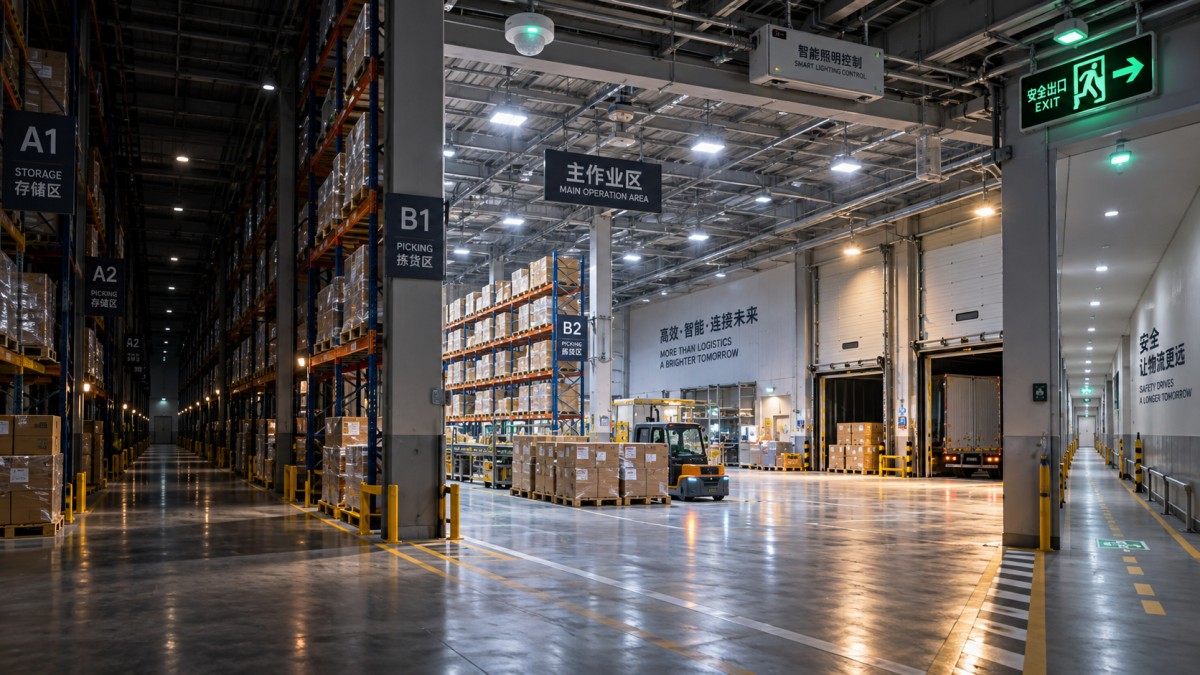
A warehouse may finish picking at 10 p.m. while aisle lighting remains on until morning. A multi-floor office may have only a cleaning crew on one level, yet every corridor, meeting room, pantry, and parking zone stays illuminated. On construction-adjacent sites, temporary offices and storage areas are particularly vulnerable because schedules change faster than electrical settings.
Smart LED lighting app control addresses this gap by making lighting decisions visible and adjustable after installation. Instead of relying entirely on wall switches, fixed timers, or a facilities worker walking the building at night, authorized teams can check status remotely, switch off unused zones, modify schedules, and respond to unusual operating conditions from a mobile device or web dashboard.
The practical value is not simply “turning lights off with a phone.” A well-planned system connects lighting to how a building is actually used: shift patterns, access routes, cleaning windows, security rounds, loading activity, emergency requirements, and seasonal daylight. That is where energy savings become repeatable rather than accidental.
Why Fixed Schedules Often Miss the Reality of Commercial Operations
Conventional time clocks work best when occupancy is predictable. Many sites are not predictable. Deliveries arrive late. A maintenance contractor needs access on a weekend. A tenant stays late during a deadline period. Security staff may need temporary lighting in a normally unoccupied wing. When schedules cannot reflect those variations, teams tend to choose the safest-looking option: leave more lights on for longer.
That decision is understandable, but it turns safety planning into permanent energy consumption. It also makes fault detection harder. If lighting is expected to run overnight everywhere, an abnormal circuit, an occupied zone, or a failed sensor can disappear into the background.
With smart LED lighting app control, schedules can still form the baseline, but they no longer have to be the final instruction. A site can operate in normal mode during business hours, transition to reduced-output circulation lighting after closing, and activate specific zones only when a legitimate operational need appears. The control layer provides the flexibility that basic timers lack.
This matters most where one building contains several operating rhythms. Think of a mixed-use commercial development with office suites, loading bays, lobby areas, staff entrances, parking, and equipment rooms. Treating the whole property as one lighting schedule is usually convenient during installation and expensive afterward.
Build Lighting Zones Around Work, Access, and Risk
The strongest energy-control projects begin with zoning. Not electrical zoning alone, but operational zoning. A lighting group should represent a space that can reasonably follow the same occupancy and safety rule.
For example, a warehouse racking area may be divided by aisle clusters, while dock doors are treated separately because loading activity can continue after the main shift ends. An office floor may separate workstations from corridors, washrooms, stairwells, meeting rooms, and IT rooms. In a car park, pedestrian routes and vehicle circulation areas may need different minimum-lighting expectations.
Overly broad groups reduce control precision. Overly granular groups can become difficult to operate, commission, and maintain. The sensible middle ground is to create zones that match how staff move through the site and how the building is secured after hours.
This is also where smart lighting intersects with access control. A door event, approved badge entry, or security workflow can justify temporary illumination in a defined route without waking an entire floor. The objective is not to make every light reactive. It is to let the building provide the amount of light needed for the activity taking place.
SHSS follows this broader smart-hardware view: physical systems work better when their controls reflect real operating conditions. Lighting, access, tools, protective equipment, and structural hardware each have different technical requirements, but all benefit from clear boundaries, reliable status information, and disciplined maintenance.
The Most Useful App-Control Functions After Closing Time
Not every feature listed in a smart lighting platform is equally valuable on a live project. For reducing after-hours waste, a few functions consistently deserve attention during system selection and commissioning.
- Remote zone status: The operator should be able to see whether a zone is on, off, dimmed, unavailable, or in manual override. A simple on/off command without status confirmation creates uncertainty.
- Scheduled shutoff with controlled override: Normal schedules should switch down or switch off lighting automatically, while approved users can temporarily extend operation when work continues.
- Scene control: Preset scenes such as “cleaning,” “security patrol,” “late loading,” or “emergency inspection” avoid repeated manual adjustments and make response more consistent.
- Occupancy-linked adjustment: In suitable spaces, sensors can bring lighting up when people enter and reduce it after a defined vacancy period. Settings must be tested carefully so lights do not drop while legitimate work is still underway.
- Event history and alerts: Logs help reveal recurring overrides, zones that never switch off, communication failures, or schedules that no longer match operations.
The difference between a useful platform and a frustrating one often appears at 11 p.m., not during a product demonstration. Can an authorized supervisor find the correct zone quickly? Can the system show whether the command was received? Is there a clear record of who overrode a schedule? These are small details until a site has multiple users, multiple shifts, and a security incident under review.
Choose the Control Architecture Before Choosing the App
The app is only the visible part of the system. Behind it sit drivers, gateways, sensors, controllers, network connections, and often a building-management interface. A polished mobile interface cannot compensate for poor commissioning, weak wireless coverage, or incompatible control components.
For larger commercial projects, protocols such as DALI can support detailed control and status communication at the lighting level. Wireless approaches, including Zigbee-based systems, may be useful where new control wiring is difficult or where phased renovation is planned. Neither approach is automatically better. Wired systems may suit sites that need stable, structured control networks; wireless systems can be practical where installation disruption must be minimized. The final decision should account for building layout, interference risks, future expansion, maintenance capability, and integration requirements.
One common mistake is installing smart luminaires while leaving the project with a fragmented control environment: one app for external lighting, another for office floors, a separate system for emergency lighting, and no consistent ownership model. Some separation is necessary, especially where life-safety systems must remain independent. But unnecessary fragmentation makes after-hours operation harder than it needs to be.
Before procurement, project teams should ask whether the system can support the required zones, user permissions, schedule types, exportable records, and interfaces. They should also establish what happens if cloud access, a gateway, or a network connection is unavailable. Essential lighting must have a safe local behavior. “Smart” should not mean that a building becomes unmanageable when connectivity is interrupted.
Safety and Compliance Cannot Be Handled as an Afterthought
Reducing energy use after hours does not mean darkening a site indiscriminately. Stairways, exit routes, security-sensitive entrances, operational hazards, and emergency systems require separate consideration. Local building, fire, workplace, and electrical requirements vary by jurisdiction, so the appropriate lighting levels and emergency arrangements should be confirmed with the responsible designer, authority, and site safety team.
Emergency lighting should not be treated as a standard app-controlled energy-saving zone unless the system design and applicable requirements expressly permit it. The same caution applies to locations where sudden darkness may create a hazard: active loading areas, machinery zones, isolated stairwells, or sites with night security patrols.
There is a human factor as well. If a cleaning contractor repeatedly finds that occupancy sensors switch off too quickly, staff may bypass the controls. If guards do not have a reliable way to activate a patrol scene, they may leave whole areas on. Good settings make it easy for people to work safely within the energy plan; bad settings encourage workarounds.
Commissioning Is Where Savings Are Won or Lost
A smart LED lighting app control project should not be considered complete when luminaires power up and appear in the app. The commissioning phase needs to test actual after-hours scenarios. Ask the night supervisor, security lead, cleaner, maintenance technician, and facilities representative to walk through their normal routines. Their routes often reveal zoning mistakes that are not obvious on drawings.
Test the shutdown schedule. Test a late-work override. Test what happens when occupancy is detected in a normally dark area. Test whether a security route can be activated without turning on unrelated spaces. Verify that daylight settings do not interfere with nighttime behavior. Confirm that local wall controls, if retained, do not create conflicting commands.
It is worth documenting the final logic in plain language, not only in a controls diagram. A short operating note should explain which zones are automatic, which are manually controlled, who can override them, how long overrides last, and whom to contact when behavior appears abnormal. In practice, this document is often more useful to an operations team than a dense technical manual.
Use Energy Review as an Operational Check, Not Just a Finance Exercise
Once the site is operating, review lighting behavior after the first few weeks and again when occupancy patterns change. A schedule that was correct during fit-out may be wrong once tenants move in. A loading bay that once operated evenings may shift to daytime work. Seasonal changes can alter the usefulness of daylight-responsive settings near entrances and glazed areas.
The most revealing questions are straightforward: Which zones receive frequent manual overrides? Which spaces remain energized all night? Are overrides tied to legitimate operations, poor sensor placement, unclear user permissions, or a schedule no one has updated? Those answers show whether the site has a technical problem or a management problem.
Where platforms provide consumption data, treat it carefully. Lighting energy trends can support decisions, but they should be interpreted alongside occupancy, operating hours, weather, tenant activity, and equipment changes. A lower number is not automatically a better outcome if it was achieved by creating unsafe or inconvenient conditions.
A Better After-Hours Lighting Plan Starts With Clear Rules
The practical case for smart LED lighting app control is strongest when the system is designed around a simple question: what lighting must remain available after normal hours, for whom, and under what trigger? Once that is clear, schedules, occupancy sensors, access events, scenes, and remote control become useful tools rather than disconnected features.
For project leaders, the priority is not maximum automation. It is dependable automation with sensible fallback behavior, defined responsibilities, and safety boundaries that cannot be casually overridden. A well-zoned system can reduce unnecessary nighttime operation without leaving cleaners, guards, late workers, or emergency responders in the dark. That balance is what turns app-based lighting control from a convenience feature into a credible operating strategy.
Recommended News