
Search News
Industry Portal
Hot Articles
Industrial Automation Tools: Integration Mistakes to Avoid
Time
Click Count
For project managers overseeing smart factories, construction sites, or security-driven facilities, industrial automation tools can unlock faster workflows, safer operations, and more reliable asset control—but only when integration is handled with precision. From brushless power systems and biometric access to smart lighting, fasteners, and PPE data streams, every connected component must align with real project requirements. This article highlights the most common integration mistakes that delay deployment, increase costs, or weaken safety outcomes, helping engineering leaders build automation ecosystems that are efficient, scalable, and resilient from day one.
Why Industrial Automation Tools Fail During Integration
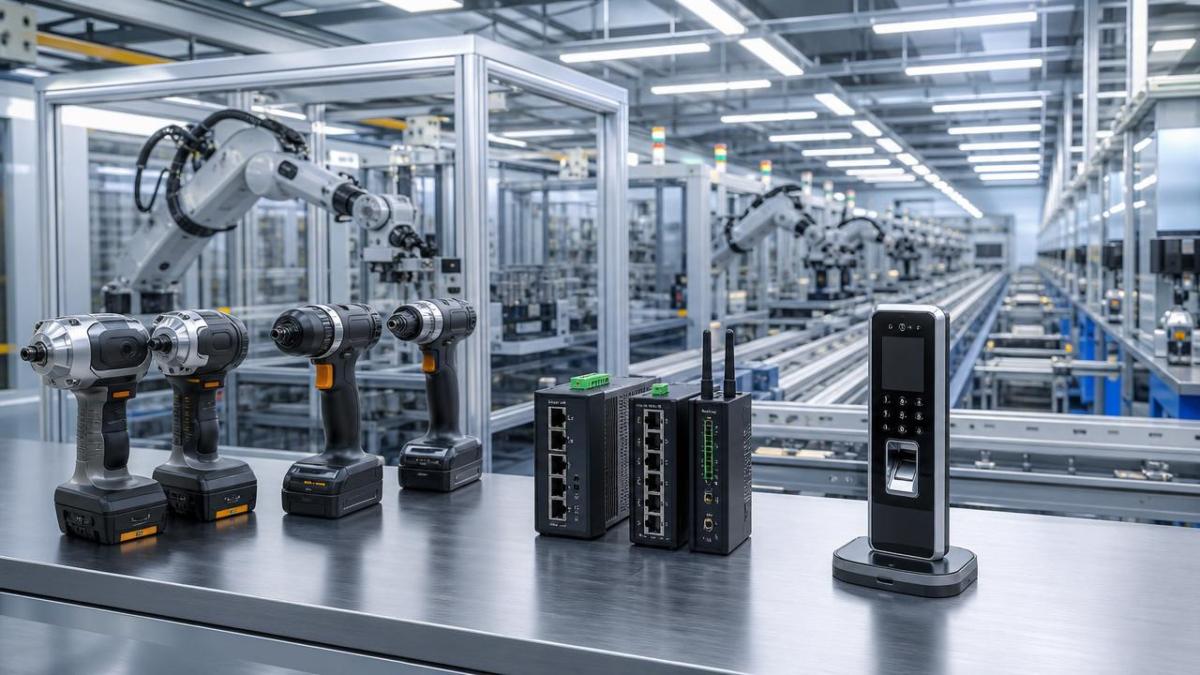
Integration failures rarely start with the tool itself. They usually begin when teams buy isolated devices before defining process ownership, safety boundaries, data routes, and maintenance responsibilities.
Industrial automation tools now cover far more than PLCs and robotic cells. They include BLDC fastening tools, biometric access terminals, smart LED lighting, connected PPE, torque traceability systems, and sensor-ready hardware.
For project managers, the challenge is not only technical compatibility. It is balancing delivery schedules, budget approval, operator training, cybersecurity, compliance, and long-term lifecycle cost.
The hidden integration gap
- Operational teams focus on uptime, while procurement may focus on unit price, creating mismatched selection criteria.
- Security teams prioritize access control, but production teams may not map how biometric events affect workflow timing.
- Facilities teams adopt smart lighting, yet overlook network capacity, gateway placement, and emergency override logic.
- Safety departments collect PPE data, but fail to define who reviews alerts and how incidents are escalated.
SHSS evaluates these intersections across physical mechanics, smart security, and AIoT infrastructure. That perspective helps project leaders avoid treating industrial automation tools as separate purchases.
Mistake 1: Buying Devices Before Defining the Operating Scenario
A common mistake is asking, “Which device is advanced?” instead of, “Which workflow must this device protect, accelerate, or verify?” The second question produces better specifications.
A brushless impact wrench used on bridge fasteners has different requirements from one used in light assembly. A biometric terminal for a data center has different risk logic from one installed at a warehouse gate.
Before selecting industrial automation tools, project managers should segment use cases by environment, risk level, operator skill, and integration depth.
The following table shows how scenario definition changes the selection path for connected hardware and security systems.
The lesson is direct: integration starts with operating logic, not catalog comparison. When scenarios are defined early, specifications become measurable and disputes decrease.
Mistake 2: Ignoring Protocols, Data Ownership, and System Boundaries
Many projects underestimate the complexity of communication protocols. A device may look compatible because it connects to an app, but app control is not enterprise integration.
Industrial automation tools must exchange reliable data with MES, ERP, building management systems, access platforms, and maintenance dashboards. Weak boundary planning causes duplicated records and blind spots.
Questions to ask before approval
- Which platform owns the master record: the tool cloud, local server, access system, or maintenance platform?
- Will data remain available if the internet connection fails or if a gateway is replaced?
- Can event logs be exported in a format useful for audits, warranty claims, or incident investigation?
- Are API permissions, encryption, user roles, and retention rules documented before deployment?
For biometric security, the stakes are higher. Project teams should consider GDPR, local privacy rules, consent management, and template storage architecture before collecting user data.
SHSS emphasizes this boundary discipline because physical access, fastening reliability, and PPE alarms can all become legal evidence after an incident.
Mistake 3: Treating Mechanical Hardware as “Non-Digital” Infrastructure
Fasteners, anchors, and structural hardware are often excluded from automation planning. That is a mistake when torque tools, inspection logs, and maintenance systems are connected.
A smart tightening tool can record torque, angle, operator, and time. But the record is meaningful only if the bolt grade, coating, thread condition, and assembly sequence are specified.
Industrial automation tools should be aligned with the physical limits of the components they control. Otherwise, a digital workflow may document an unsafe mechanical result.
Mechanical-data alignment checklist
- Confirm fastener grade, thread specification, heat treatment condition, and surface coating before setting torque targets.
- Define whether the tightening strategy is torque-only, torque-angle, yield-controlled, or inspection-based.
- Match tool capacity to the highest required torque with margin, rather than operating continuously at the edge.
- Store fastening records against asset IDs so future maintenance teams can validate structural history.
This is where SHSS’s “steel sutures” view matters. Automation does not replace structural mechanics; it makes mechanical accountability visible.
Mistake 4: Selecting by Purchase Price Instead of Lifecycle Cost
Budget pressure is real, especially when project managers must justify automation across multiple sites. Yet the lowest purchase price often produces higher lifecycle cost.
Battery replacement, calibration, downtime, failed access logs, lighting maintenance, and PPE consumables can outweigh initial savings within a short operating period.
Use the table below to compare industrial automation tools through a project-cost lens, not only a procurement-cost lens.
A lifecycle view supports stronger approvals. It allows engineering leaders to explain why a durable, compliant, and maintainable system may reduce total project risk.
Mistake 5: Underestimating Safety, Compliance, and Human Behavior
Automation projects fail when they assume workers will adapt automatically. Operators need clear procedures, practical training, and tools that do not slow critical tasks.
For example, biometric access should not create bottlenecks during shift changes. Smart PPE alarms should reduce exposure risk without generating constant false alerts.
Industrial automation tools must also respect standards and regulations. Relevant references may include ISO 45001 for occupational safety, IEC 62443 for industrial cybersecurity, and EN or ANSI PPE standards.
Practical compliance priorities
- Define access roles for contractors, visitors, supervisors, and emergency responders before biometric enrollment begins.
- Document who can view worker location, PPE status, and incident alerts to avoid unnecessary privacy exposure.
- Verify that lighting controls preserve emergency illumination and manual override functions during network failure.
- Ensure powered tools, batteries, chargers, and connected devices follow applicable electrical and safety requirements.
Human behavior should be part of the specification. A technically strong system that operators bypass is not truly integrated.
How to Build a Reliable Integration Plan Before Procurement
The strongest integration plans connect procurement, engineering, safety, IT, and operations before purchase orders are issued. This reduces redesign and vendor conflict.
For industrial automation tools, the procurement file should include technical parameters, service expectations, data ownership rules, spare parts strategy, and acceptance criteria.
Recommended implementation sequence
- Map the workflow, including normal operation, maintenance mode, emergency conditions, and audit requirements.
- Define measurable performance parameters such as torque range, access response time, illumination level, and alert latency.
- Check interoperability with existing systems, including MES, BMS, ERP, access control, and safety dashboards.
- Run a pilot in one representative zone, then compare operator feedback with recorded performance data.
- Approve rollout only after spare parts, training documents, cybersecurity roles, and escalation workflows are complete.
This staged approach helps project managers keep schedule control while reducing technical surprises. It also improves internal confidence when capital expenditure needs approval.
Procurement Parameters That Should Not Be Left Vague
Unclear specifications create price ambiguity. Vendors may quote different technical levels, making comparison unfair and increasing the chance of change orders.
Before requesting quotations for industrial automation tools, define the following parameters as project-specific requirements rather than optional preferences.
A parameter-driven request makes supplier comparison more transparent. It also helps engineering teams defend technical choices against short-term cost pressure.
FAQ: Integration Questions Project Managers Often Ask
How early should industrial automation tools be considered in a project?
They should be considered during workflow design, not after civil, electrical, or IT planning is finished. Late selection often causes cabling changes, software rework, and training delays.
Which integration mistake usually creates the biggest cost overrun?
The biggest overrun often comes from unclear system boundaries. If data ownership, gateway requirements, or access permissions are not defined, teams may need expensive redesign.
Are connected PPE systems suitable for every construction site?
Not always. They are most useful where exposure risk, restricted zones, gas hazards, or contractor oversight require documented alerts and faster response workflows.
What should be tested during a pilot deployment?
Test operator acceptance, network stability, data export, battery endurance, emergency override, alarm accuracy, and maintenance procedures. A pilot should validate real operating behavior.
Why Choose SHSS for Smarter Integration Decisions
SHSS helps project managers evaluate industrial automation tools through both physical reliability and intelligent control. Our coverage connects brushless tools, biometric security, fasteners, smart lighting, and PPE.
That cross-disciplinary view is valuable when one project includes torque traceability, access control, worker protection, and energy management within the same operating environment.
You can consult SHSS for parameter confirmation, product selection logic, compliance concerns, delivery cycle evaluation, sample support planning, and quotation comparison preparation.
If your team is preparing a smart factory, secure facility, municipal lighting project, or high-risk construction deployment, use SHSS as an intelligence partner before procurement locks the design.
The right integration plan makes every bolt, beam of light, access event, and safety alert work as part of one resilient system, not as disconnected devices.
Recommended News